How Does Wi-Fi Work? A Simple Guide to Wireless Internet
Wi-Fi is something most people use every day without thinking much about how it actually works. You connect your phone, laptop, television, or another device to a wireless network, enter a password, and suddenly you have access to the internet.
But how does Wi-Fi work when there is no cable physically connecting your device to the router?
The answer involves radio waves, wireless networking technology, routers, antennas, and a series of communication processes that happen extremely quickly.
Let’s break down how Wi-Fi works in simple terms.
1. What Is Wi-Fi?
Wi-Fi is a technology that allows compatible devices to communicate wirelessly over a local network.
Instead of requiring an Ethernet cable between your device and a network access point, Wi-Fi uses radio signals to transmit information through the air.
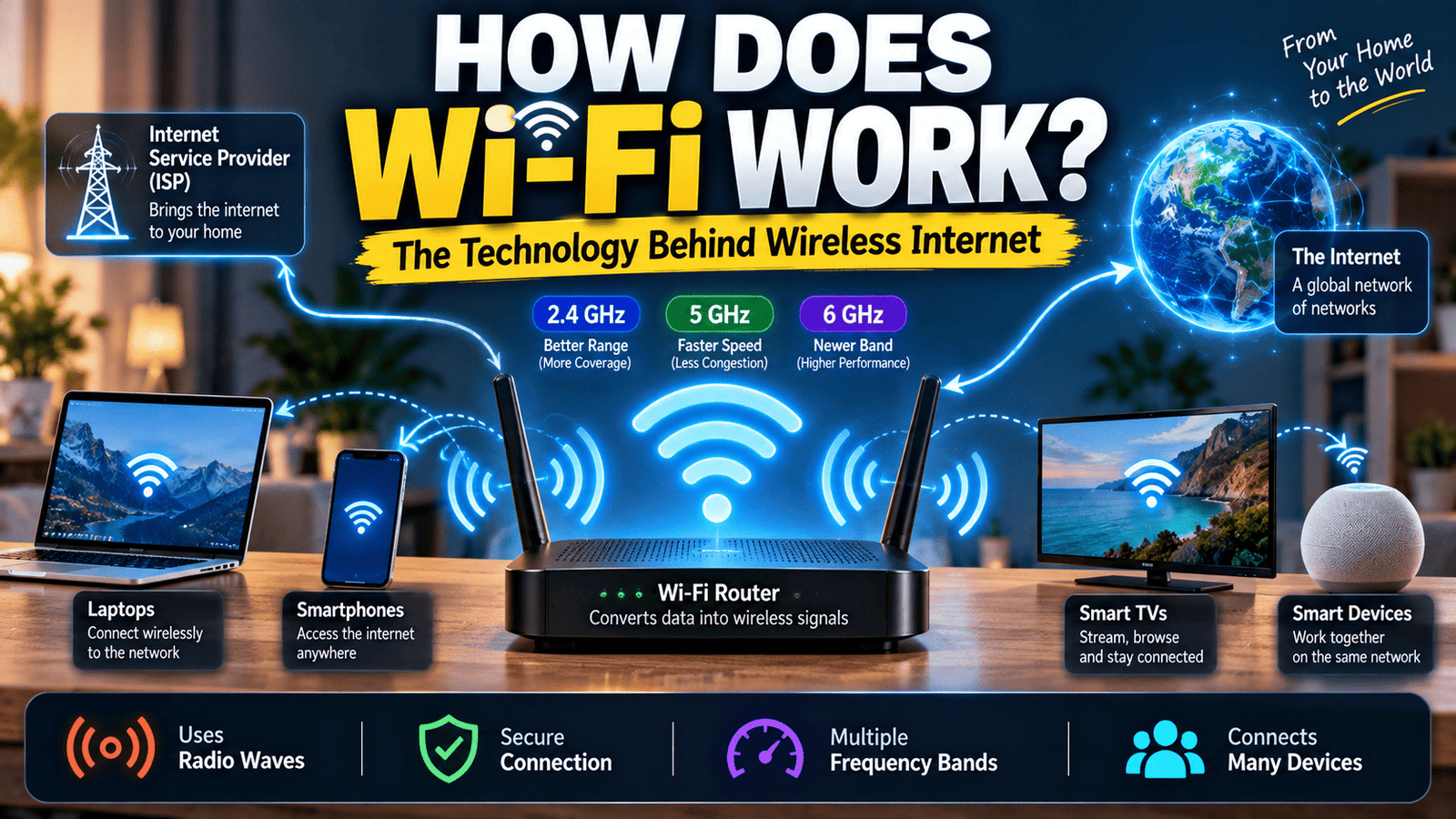
Your smartphone, laptop, smart TV, tablet, or other compatible device can communicate with a Wi-Fi access point, which is often built into a wireless router.
The important thing to understand is that Wi-Fi and the internet are not exactly the same thing. Wi-Fi provides a wireless connection to a local network, while the internet is the much larger global network that you may access through that connection.
2. What Does a Wi-Fi Router Do?
A Wi-Fi router is one of the most important devices in a typical home network.
It can perform several networking functions, including connecting your local network to your internet service provider and providing wireless access to devices.
When your phone connects to your home Wi-Fi, the router helps establish communication between your phone and the network.
Depending on the equipment and network setup, a router may also manage IP addresses, direct network traffic, provide security features, and connect wired and wireless devices together.
3. Wi-Fi Uses Radio Waves
The most important answer to the question “How does Wi-Fi work?” is that Wi-Fi uses radio waves to carry information.
Radio waves are a form of electromagnetic radiation. Wi-Fi equipment uses specific portions of the radio spectrum to communicate with compatible devices.
The information being transmitted is represented through changes in the wireless signal. Your device and the access point interpret those signals and convert the information into digital data.
This process happens so quickly that activities such as loading a webpage or sending a message can feel almost instantaneous.
4. Your Phone Has a Wi-Fi Radio Inside It
When you connect your smartphone to Wi-Fi, the phone is not simply “receiving internet from the air.”
It contains wireless networking hardware that allows it to communicate with the Wi-Fi access point.
The device has antennas and specialized electronics that transmit and receive radio signals.
The same basic principle applies to laptops, tablets, smart TVs, gaming consoles, and many other modern connected devices.
5. The Router and Your Device Communicate With Each Other
When your device connects to a Wi-Fi network, communication happens in both directions.
Your phone can send information to the access point, and the access point can send information back to your phone.
For example, when you open a website, your device sends network requests. The router and other network equipment help those requests reach the appropriate destination, and the resulting data is sent back toward your device.
Wi-Fi therefore works as a two-way communication system rather than a simple one-way broadcast.
6. What Happens When You Enter a Wi-Fi Password?
When you select a protected Wi-Fi network and enter its password, your device and the network perform a security process that allows the device to connect.
The password is not simply sent across the network as plain text for everyone nearby to read. Modern Wi-Fi security protocols are designed to protect wireless communication and help prevent unauthorized access.
After the connection is successfully established, your device can communicate with the network according to the security settings being used.
The exact process depends on the Wi-Fi security standard and configuration of the network.
7. What Are 2.4 GHz, 5 GHz, and 6 GHz Wi-Fi?
You may have noticed that modern routers often support different Wi-Fi frequency bands.
The 2.4 GHz band generally provides better range and can travel through obstacles more effectively than higher-frequency bands, although it is also commonly used by many other devices and can experience more congestion.
The 5 GHz band can offer higher performance and access to more channels, but its range and ability to pass through obstacles can be lower compared with 2.4 GHz under similar conditions.
The newer 6 GHz band provides additional spectrum for compatible Wi-Fi devices and can help reduce congestion in suitable environments. However, 6 GHz signals generally have shorter effective range and require compatible hardware.
8. Why Does Wi-Fi Become Slower When You Move Away From the Router?
Wireless signals become weaker as distance increases, and walls, floors, furniture, appliances, and other obstacles can also affect signal quality.
As the wireless connection becomes less reliable, the devices may need to use communication methods that are more robust but slower, or retransmit information that was not received correctly.
This is one reason a device sitting close to a router may perform much better than the same device several rooms away.
The physical layout of a building can therefore have a significant effect on Wi-Fi performance.
9. Why Do Walls Affect Wi-Fi?
Radio signals can travel through many materials, but different materials affect them in different ways.
Drywall and some lightweight materials may have a relatively small effect, while thick concrete, metal, and certain other dense materials can significantly weaken wireless signals.
Water can also absorb radio-frequency energy, which means objects containing large amounts of water can affect wireless propagation.
This is why placing a router behind thick walls, inside cabinets, or in an enclosed area may reduce coverage.
10. What Is Wi-Fi Speed?
Wi-Fi speed refers to how quickly data can be transmitted over the wireless connection, but the number shown by a device does not always represent the actual speed you will experience when using the internet.
Several factors can influence real-world performance, including the Wi-Fi standard, device capabilities, signal strength, interference, network congestion, router hardware, and the speed of your internet connection.
For example, having a very fast Wi-Fi connection does not automatically mean your internet service can deliver data at that same speed.
Your internet connection and your local wireless network are separate parts of the overall system.
11. Why Can Many Devices Use the Same Wi-Fi Network?
A modern Wi-Fi network can communicate with multiple devices by managing access to the wireless medium.
Your phone, laptop, television, tablet, and other devices may all share the same wireless network.
The network equipment coordinates communication so that different devices can transmit and receive data without everyone simply transmitting continuously at the same time.
Modern Wi-Fi standards include technologies designed to improve efficiency when multiple devices are connected.
12. What Is Wi-Fi Interference?
Wi-Fi operates using radio frequencies, so other wireless signals and sources of radio-frequency energy can sometimes affect performance.
Interference can come from other Wi-Fi networks, nearby electronic devices, or overlapping activity in the same frequency range.
In crowded apartment buildings, for example, many neighboring routers may be operating within range of one another.
When wireless networks compete for limited spectrum, congestion can reduce performance and increase delays.
13. Why Does Restarting a Router Sometimes Help?
People often restart their routers when the internet seems slow or a device cannot connect.
Restarting the equipment can sometimes resolve temporary software issues, connection problems, or unusual network states.
However, restarting a router does not magically increase the maximum speed of an internet plan.
If the underlying problem is weak signal coverage, interference, damaged hardware, an ISP outage, or insufficient bandwidth, restarting the router may not permanently solve the issue.
14. Is Wi-Fi the Same as Mobile Internet?
Wi-Fi and mobile networks both use radio communication, but they are different technologies.
Wi-Fi usually connects your device to a nearby local wireless network through an access point.
Mobile networks use cellular infrastructure operated by telecommunications providers. Your phone communicates with nearby cellular equipment, and the provider’s network connects that communication to other networks and services.
This is why your phone can continue accessing the internet through mobile data even when you are not connected to a Wi-Fi network.
15. What Happens When You Open a Website Using Wi-Fi?
Suppose you connect your phone to home Wi-Fi and open a website.
First, your phone communicates with the local Wi-Fi access point. The router then helps forward the network traffic toward your internet service provider.
The request travels through multiple network systems until it reaches the server hosting the website.
The server sends the requested data back through the network. That data eventually reaches your router, which sends the wireless portion of the communication to your phone.
Your browser then processes the received information and displays the webpage.
All of these steps can happen in a very short amount of time.
16. Why Does Wi-Fi Sometimes Show Full Bars but Still Feel Slow?
The Wi-Fi signal indicator on your device mainly gives you an idea about signal strength. It does not necessarily tell you everything about the quality or speed of the connection.
You can have a strong signal but still experience slow performance because of network congestion, interference, a slow internet connection, overloaded hardware, or problems farther upstream in the network.
This is why signal strength alone cannot completely explain the quality of your internet experience.
17. How Can You Improve Wi-Fi Performance?
There are several practical steps that can improve a home Wi-Fi network.
Placing the router in a relatively open and central location can improve coverage. Keeping it away from large obstructions and sources of interference can also help.
Using a suitable frequency band, keeping router firmware updated, and positioning compatible devices appropriately can make a difference.
For larger homes, a properly configured mesh Wi-Fi system or additional access points may provide better coverage than relying on a single router.
18. Is Wi-Fi Secure?
Wi-Fi security depends on the security protocol, configuration, device software, and network practices being used.
Modern security standards are designed to protect wireless communications, but users should still take basic precautions.
Using a strong Wi-Fi password, keeping networking equipment updated, and using modern security settings are sensible steps for a home network.
Public Wi-Fi networks should also be treated differently from a trusted private home network because you have less control over the network itself.
19. Why Is Wi-Fi Technology So Important?
Wi-Fi has made it possible to connect large numbers of devices without running a separate network cable to every location.
Homes, offices, schools, hotels, airports, restaurants, and many other places use wireless networks to provide convenient connectivity.
As more devices become connected, Wi-Fi continues to evolve to improve capacity, efficiency, speed, security, and performance in crowded environments.
How Does Wi-Fi Work in Simple Terms?
The simplest explanation is this:
Your router or wireless access point converts network data into wireless signals. Your device receives those signals through its Wi-Fi hardware and converts them back into digital information.
When your device sends information, the process works in the opposite direction.
The router then connects the local wireless network to other networks, including the internet when an internet connection is available.
So, although Wi-Fi feels almost invisible, it is actually a sophisticated two-way radio communication system.
Final Thoughts
Wi-Fi may seem like a simple feature that appears whenever you connect your phone or laptop, but a lot happens behind the scenes.
Radio waves, antennas, networking protocols, routers, security systems, and internet infrastructure all work together to make wireless connectivity possible.
The next time you connect your phone to Wi-Fi, remember that your device is communicating with another piece of hardware through radio signals, exchanging data incredibly quickly.
Understanding how Wi-Fi works also makes it easier to understand why distance, walls, interference, router placement, and network congestion can affect your internet experience.
What looks like a simple Wi-Fi icon on your phone represents a surprisingly complex technology working in the background.
Related Reading
If you enjoy learning about how everyday technology works, you can also explore more technology and science articles on BahujanMedia.
You can also read our article about psychology facts that explain why people behave the way they do to explore another fascinating area of everyday life.